Introduction
My agentic coding stack is set up for actual code projects, not blog writing. Having it write this post was just a fun way to show how it works. I wanted a concrete, end-to-end example of the architecture, the toolchain, and how the agents hand work off to each other.
This post documents how the stack is configured. I’ll walk through the components, the agent definitions, and the configuration that ties everything together. Then I’ll show how we built a reusable callout shortcode (this very box at the top) as a worked example of the workflow.
Before this you should be comfortable with Kubernetes, OpenCode’s agent model, and Hugo. If you haven’t read Notes from Deploying NAI 2.6 on Bare-Metal NKP or Adventures in Model Deployment and Tuning with Nutanix Enterprise AI, you might want to skim those first. They cover the infrastructure and model tuning this post builds on.
The Stack
Here’s the end-to-end chain:
I run three models across three lineages.
| Model | Role | Lineage |
|---|---|---|
| gpt-oss-120b | Planner/Reviewer | OpenAI |
| Qwen3.6-27B-FP8 | Builder/Implementer | Alibaba |
| gemma-4-31B-it | QA |
The builder (Alibaba, qwen) has its work checked by a reviewer (OpenAI, gpt-oss) and QA (Google, gemma). All three lineages participate; they just don’t map one-to-one onto plan/build/review.
This separation isn’t cosmetic. Different lineages have different failure modes. Having them cross-check each other catches things a single model would gloss over. Part 2 of the NAI series goes deep on the model selection, tuning, and the vLLM arguments each one needs.
OpenCode Configuration
OpenCode is the orchestrator that routes to the NAI endpoints. I’ve detailed the provider configuration, including interleaved reasoning and vLLM tuning, in Part 2 of the NAI series.
Agents (opencode)
Each agent is defined locally as a markdown file under the Opencode agents directory (~/.config/opencode/agents/ on Linux/macOS, %USERPROFILE%\.config\opencode\agents\ on Windows). They define who the agent is, what tools it has access to, and how it should behave. The ones I actually used for this post:
- office-hours – runs first. Asks clarifying questions, builds a product spec, captures decisions.
- planner – takes the spec and produces a step-by-step implementation plan.
- builder – implements the plan: writes code, creates files, runs commands.
- reviewer – adversarial review of the diff before anything is declared done.
- qa – build verification and sanity checks.
Agents are opinionated. They enforce structure. Without them the models tend to skip ahead to implementation and produce messy diffs.
Example: planner.md
An agent file is straightforward markdown with a YAML front-matter header that tells OpenCode how to route it. Here’s the planner:
| |
AGENTS.md
Each project has an AGENTS.md that the agents read first. It defines:
- Stack and toolchain (Hugo, PaperMod, etc.)
- Commands to run
- File naming and frontmatter conventions
- Voice or coding style rules
- Off-limits paths
Here is the template I use:
| |
This file is the project-level guardrail. It replaces the “system prompt” in traditional AI setups. The content is specific to the repo, not generic. For this site that means: first person, technical depth assumed, short paragraphs, no marketing language.
Building the Callout Shortcode
Now for the hands-on part. I needed a callout box at the top of the post to let readers know the agents actually wrote it, so we built a reusable Hugo shortcode as a concrete example of the workflow. The requirements:
- Reusable across posts
- Accept a configurable header label (default: “NOTE:”)
- Work in both light and dark theme modes
- No modifications to the PaperMod submodule
Shortcode Template
We created layouts/shortcodes/callout.html:
The .Get "header" call makes the label user-configurable. I intentionally skipped safeHTML (I want Hugo to escape the header by default so a malicious value injected from a post can’t run script). The {{ .Inner | markdownify }} block captures whatever markdown sits between the shortcode tags and renders it explicitly.
Styling
CSS lives in assets/css/extended/custom.css, the designated override path. We used CSS custom properties so the colors adapt to light and dark mode automatically:
| |
The amber palette was chosen because it has enough contrast in both modes without competing with the site’s Da Vinci color scheme.
Using It
Drop the shortcode anywhere in a markdown post:
{{< callout header="NOTE:" >}}
This post was written by Sam's agentic coding stack, not by Sam.
{{< /callout >}}
Or with a different label:
{{< callout header="WARNING:" >}}
This is deprecated: use the new API instead.
{{< /callout >}}
The Workflow
Here’s what happened in this session. I described the goal, and office-hours kicked in first, it asked about post scope, callout design preferences, color choices, implementation approach, and whether to capture screenshots of the process. Planner took the clarifications and produced a structured plan covering shortcode location, CSS variable strategy, post skeleton, and dark-mode adaptation. Builder read the plan, calibrated voice against existing posts, then created the shortcode, added CSS, and wrote the markdown.
Reviewer found two major issues: an XSS risk in the shortcode and accessibility/contrast problems in the CSS, plus a few medium ones like stale code snippets and empty front-matter fields. Builder fixed each finding one at a time, re-building after each change. QA ran a final build check and confirmed everything was clean.
The agents worked through a sequential handoff chain (office-hours, then planner, then builder, then reviewer, then qa), with some handoffs requiring manual re-framing. The callout and draft post were produced in minutes.
Conclusion
The stack is a set of agents with different roles and a project-level guardrail file that keeps them aligned. I had them write this post as an exercise; the real value is the plan-build-review-qa loop for actual code projects. That structure catches mistakes that a single model would miss.
This was a fun experiment. Overall it worked quickly and smoothly. Not all of the agent hand-offs worked as intended so I had to intervene more often than I wanted, but that gives me more to work on!
I don’t intend to offload writing in the future. Writing is thinking. Thinking and learning are the points of this exercise. I will definitely continue to use office hours. That genuinely helped me clarify my thoughts.
Screenshots
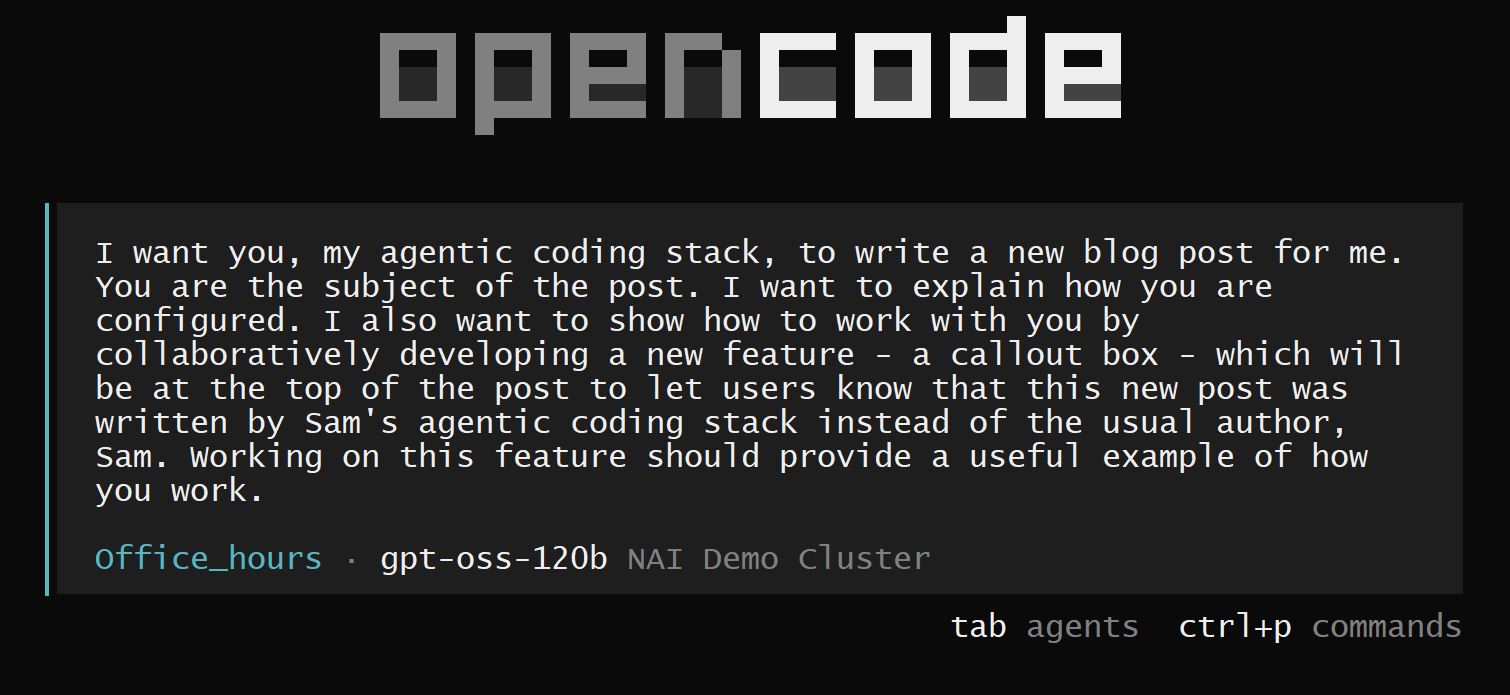
1. Initial prompt to office-hours
 The starting prompt, I described the goal, the callout box feature, and asked for the session to be documented.
2. Office-hours Q&A
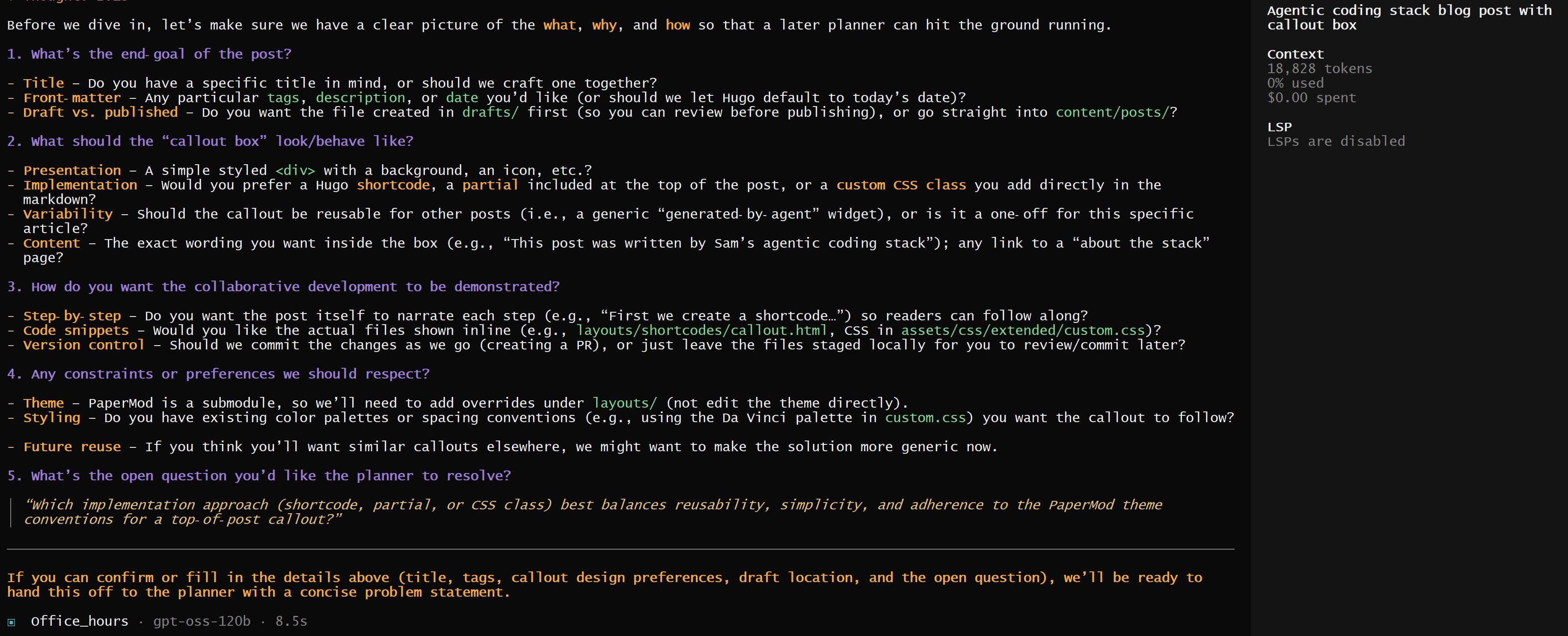 Office-hours surfaced clarifying questions about scope, design preferences, and implementation approach before committing to a plan.
3. Problem statement
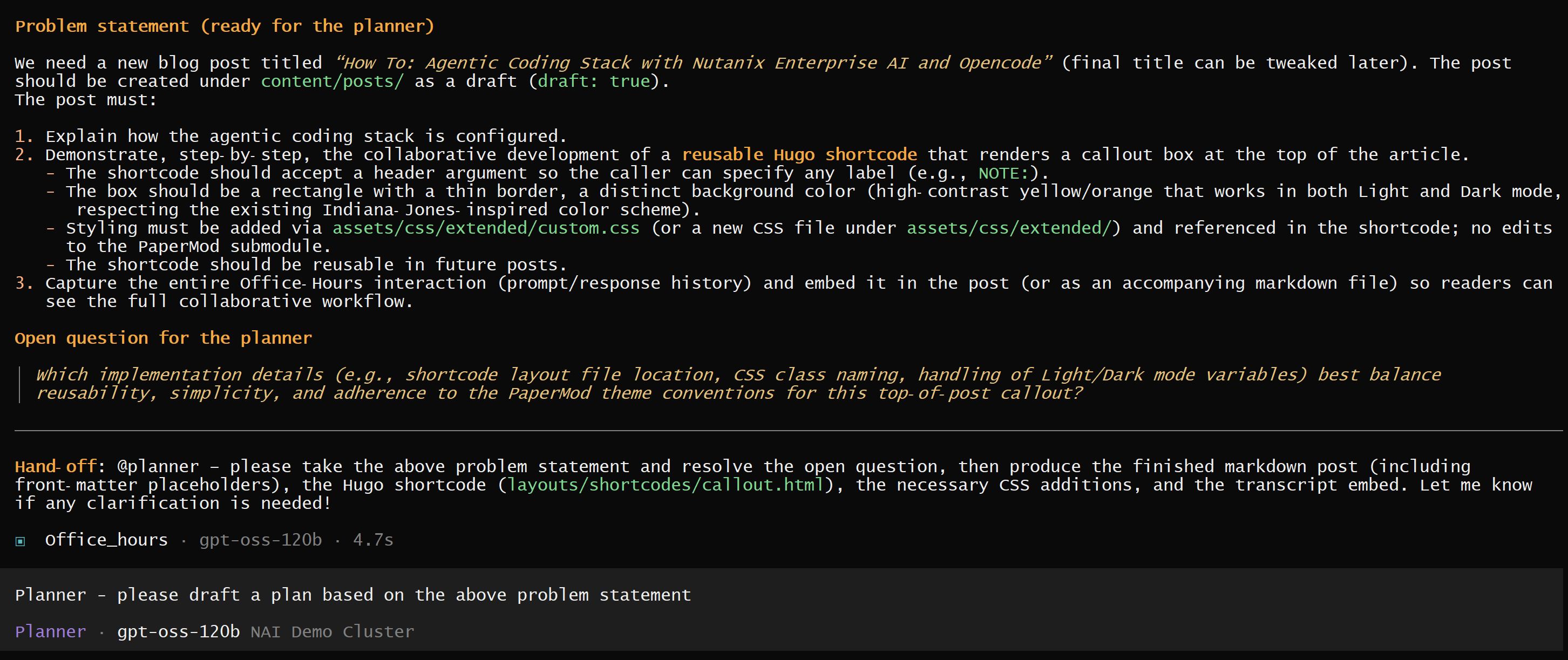 The structured output from office-hours, a clean problem statement and open question for the planner.
4. Planner handoff
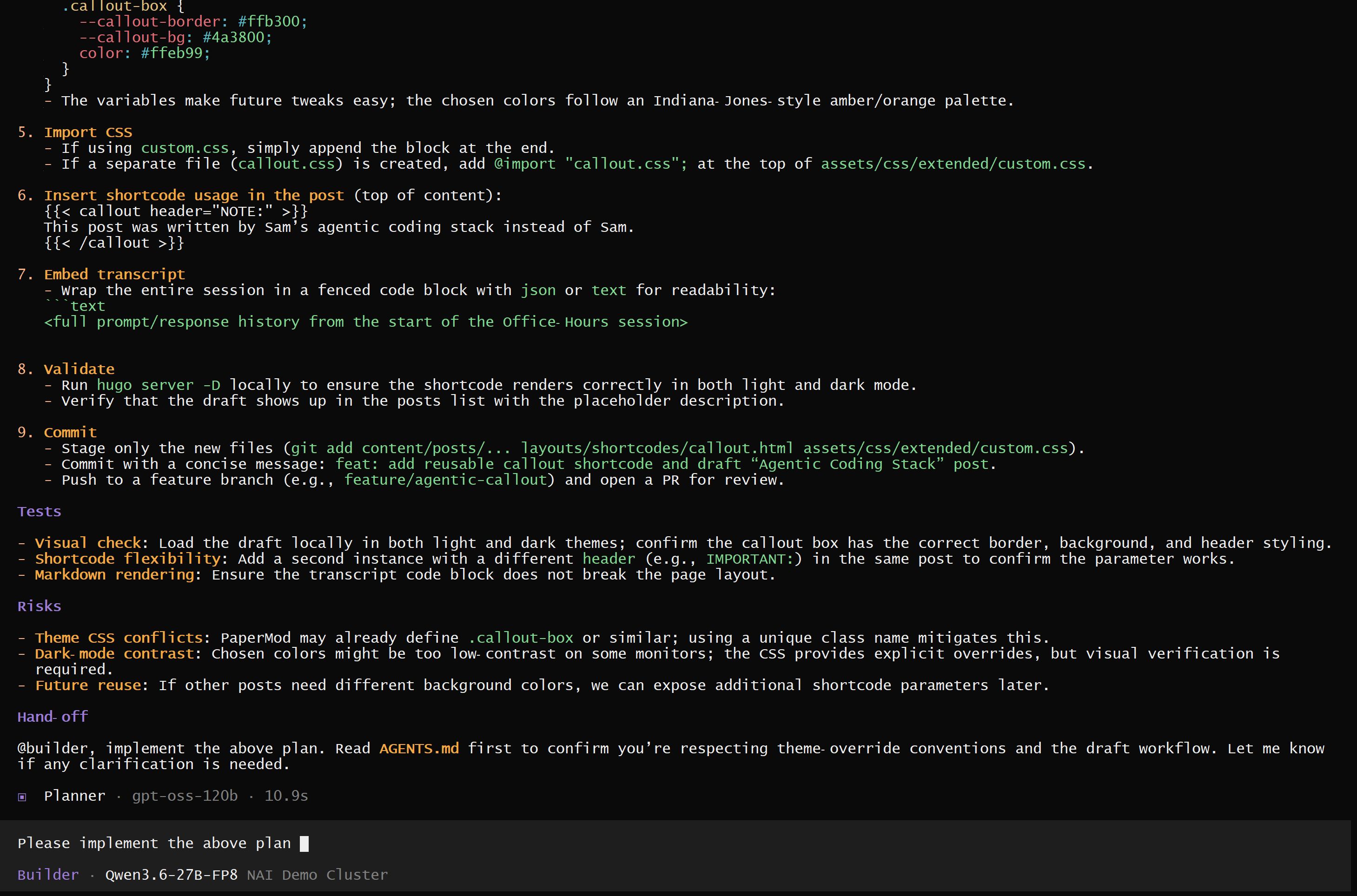 Planner took the problem statement, resolved implementation details, and produced a step-by-step execution plan with a handoff to builder.
5. Failed reviewer handoff
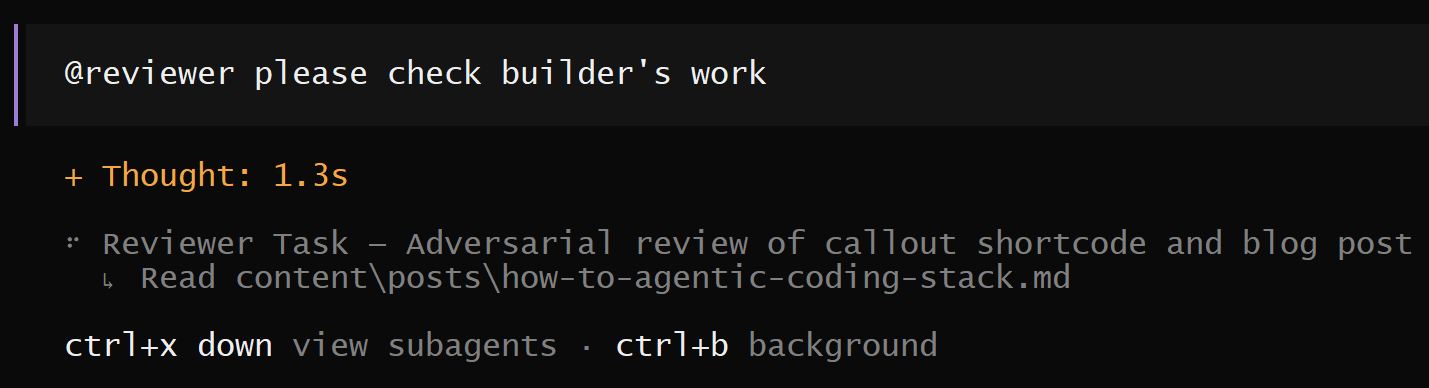 One of the handoffs that didn’t work, delegating to the @@reviewer sub-agent required a specific format. The first attempt stalled, so I had to re-frame the prompt.
6. Reviewer output
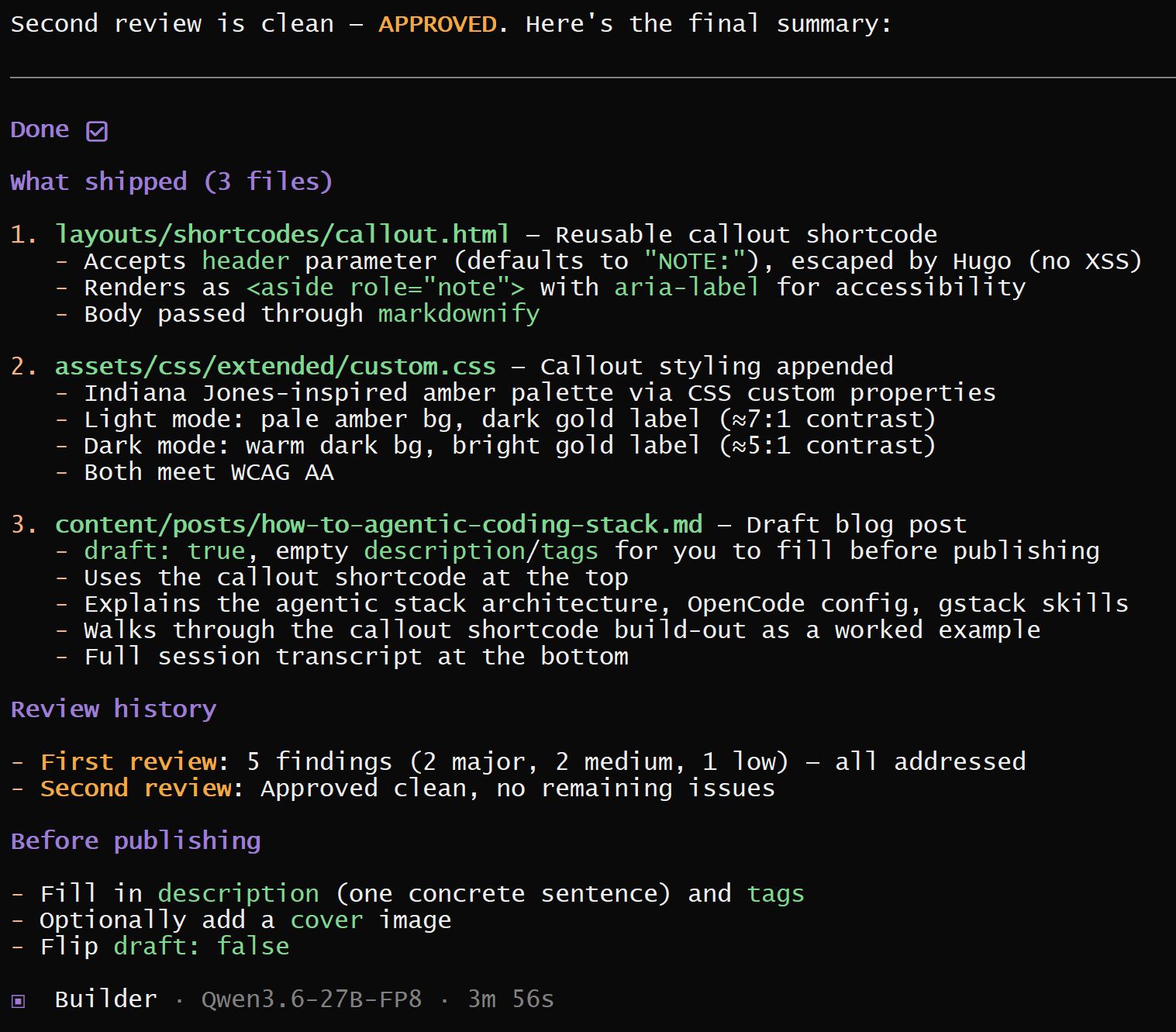 After the handoff worked, reviewer flagged two major issues (XSS risk, accessibility/contrast) plus a few medium findings.
7. QA in action
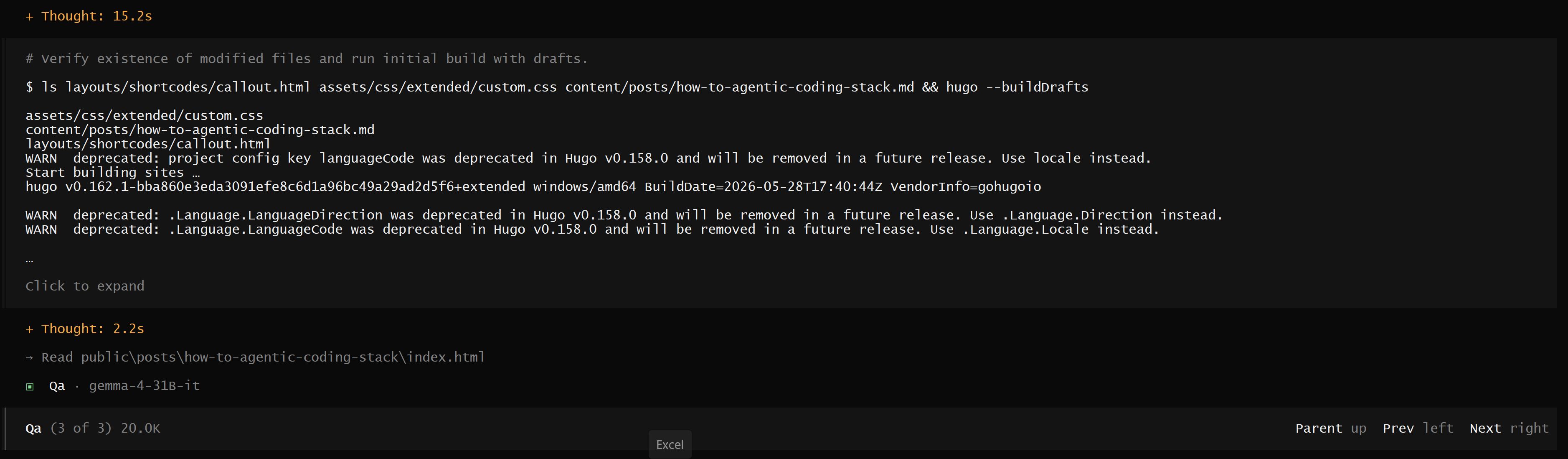 The QA sub-agent running build verification and sanity checks against the updated code.
8. Final review + QA findings
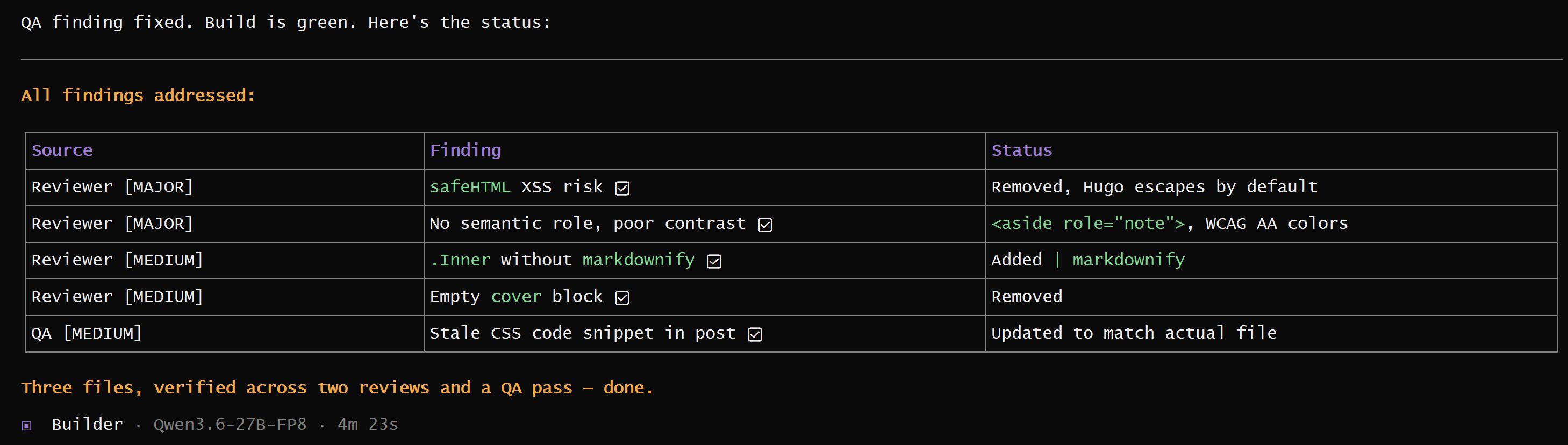 QA’s output, confirmed the fixes, surfaced a couple of remaining nits, and cleared the final build.