Introduction
This is part 2 in an ongoing series about building an open-source agentic coding platform. In part one I covered deploying Nutanix Enterprise AI 2.6 on bare-metal NKP with Pure FlashArray storage via Portworx CSI. In this post I’ll review model selection, deployment, tuning and integration with Opencode. Future posts will cover more on the agentic coding setup.
This one is denser than part 1 but by the end you’ll have three production-tuned models, an Opencode integration, and a small arsenal of kubectl patch tricks to streamline endpoint management.
Model Selection
I wanted three models for my agentic coding setup: one for planning, one for coding, and one for adversarial review and QA. This would allow me to pick models based on their suitability for a particular role. It would also let me enforce a “separation of duties” across model lineages - with different lineages taking on planning vs. building vs. reviewing.
While I was working on this in April, two powerful new models dropped that looked like perfect candidates for my builder/reviewer roles: gemma 4-31B and Qwen3.6‑27B. Both excel at agentic coding, multimodal reasoning, long‑context handling, tool use, and efficient multi‑step inference. Most importantly, they were small enough to run in my lab with GPU capacity left for a reasoning model to handle planning.
For reasoning I landed on gpt-oss-120b:
- gpt-oss was built with multi-step reasoning in mind
- Its reasoning parser preserves its thinking which allows Opencode to pass the reasoning along with the output to the builder agent for additional context - like “here is what to do AND why” this is enabled with
--reasoning-parser=openai_gptoss - It gives me a third different lineage to combine with Google and Alibaba.
The plan:
| Model | Role | Capabilities | Lineage |
|---|---|---|---|
| gpt-oss-120b | Planning | Multi-step reasoning | OpenAI |
| Qwen3.6-27B | Building | Reasoning, context, coding | Alibaba |
| gemma4-31B | Reviewing | Reasoning, context, math/logic |
Model Deployment
NAI 2.6 comes with a catalog of 74 pre-validated models: 43 from Hugging Face Model Hub and 31 from the Nvidia NGC Catalog. There are also options to “Import Model using Hugging Face Model URL” and import models manually. Because Gemma 4 and Qwen 3.6 were newer than NAI 2.6, I’d have to use the Import Model from Hugging Face option to deploy those. Since gpt-oss-120b is a validated model, I deployed it first.
Deploying a Validated Model
NAI makes importing a validated model simple. From the Models page: Import Models → From Hugging Face Model Hub, search for gpt-oss-120b, pick the validated entry, give it an instance name, click Import, wait a bit for the download to complete.
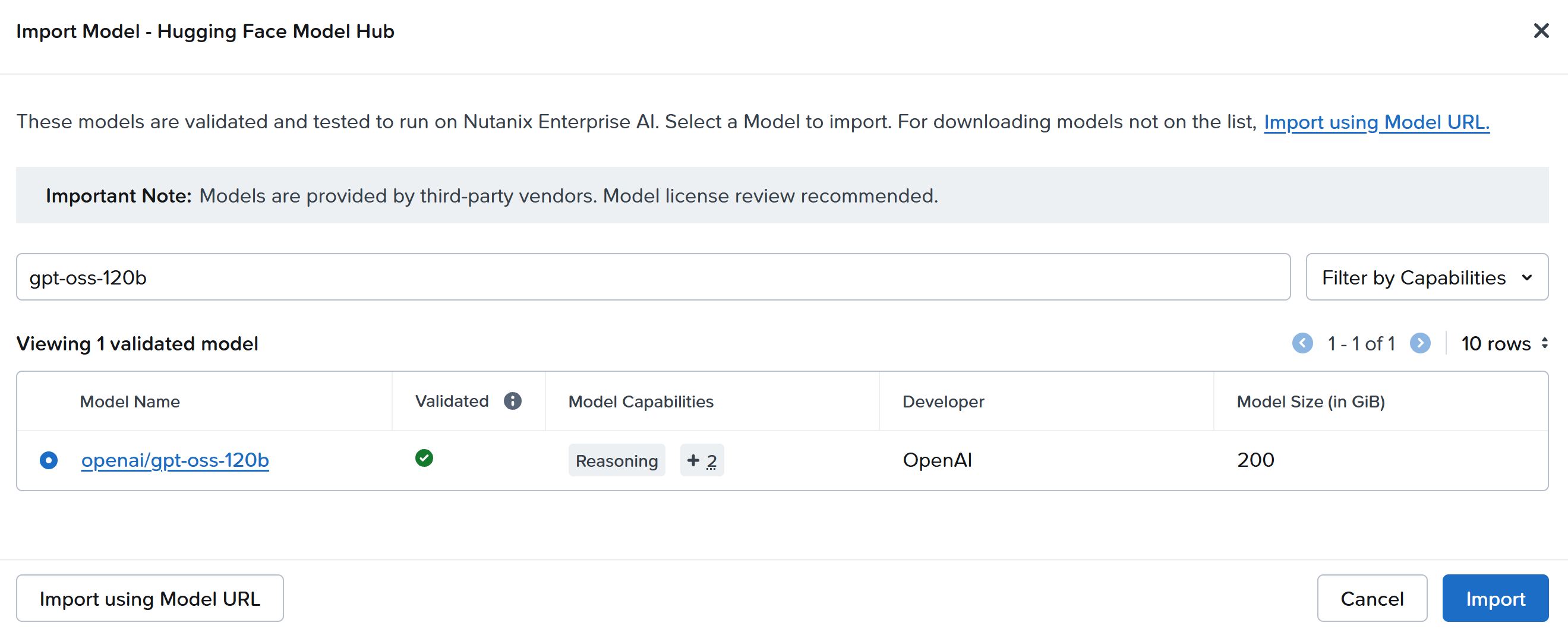
Once the model status flipped to 🟢Ready, I was ready to create my first endpoint. NAI makes this easy too, especially with pre-validated models. Inference → Local Endpoints → Create Endpoint. Because gpt-oss-120b is on the validated list, NAI selects the inference engine, image, and most arguments automatically. I picked GPU Passthrough, NVIDIA L40S, 4 GPUs and 1 instance. The endpoint quickly deployed and showed as 🟢 Active.
Deploying a Custom Model
Deploying an endpoint using a custom model requires a few more choices than with a validated one, but NAI still makes it relatively straightforward. Since I was importing both from Hugging Face, the process was the same for Gemma and Qwen: Models → Import Models → From Hugging Face Model Hub → Import using Model URL → Enter info:
| Model | Model URL | Model Instance Name |
|---|---|---|
| Qwen3.6-27B | Qwen/Qwen3.6-27B-FP8 | Qwen3.6-27B-FP8 |
| gemma4-31B | google/gemma-4-31B-it | gemma-4-31b-it |
When both models showed 🟢Ready, I moved on to Endpoint Creation. There are two differences between creating an endpoint from a validated model vs. a custom one that you can, and should, take advantage of:
- Specify your version of vLLM
- Specify custom arguments
You’ll find both of these options on the second screen of the endpoint creation wizard: Engine Source → Import from community vLLM registry → specify Engine Tag
- Engine tag for Gemma:
gemma4 - Engine tag for Qwen:
v0.19.0
Here are two of the custom args I used. More on this later under model tuning. In the endpoint creation wizard it is important to enter these exactly as you see in the table, don’t add quotes or prepend dashes or anything, NAI handles that for you.
| Model | Key | Value | Explanation |
|---|---|---|---|
| Both | max-model-len | 262144 | Set context length |
| Both | max-num-seqs | 8 | Limit parallel flows to maximize context + KV cache with limited vRAM |
These endpoint deployments took slightly longer due to the custom engine downloads, but still flipped to 🟢 Active within a few minutes.
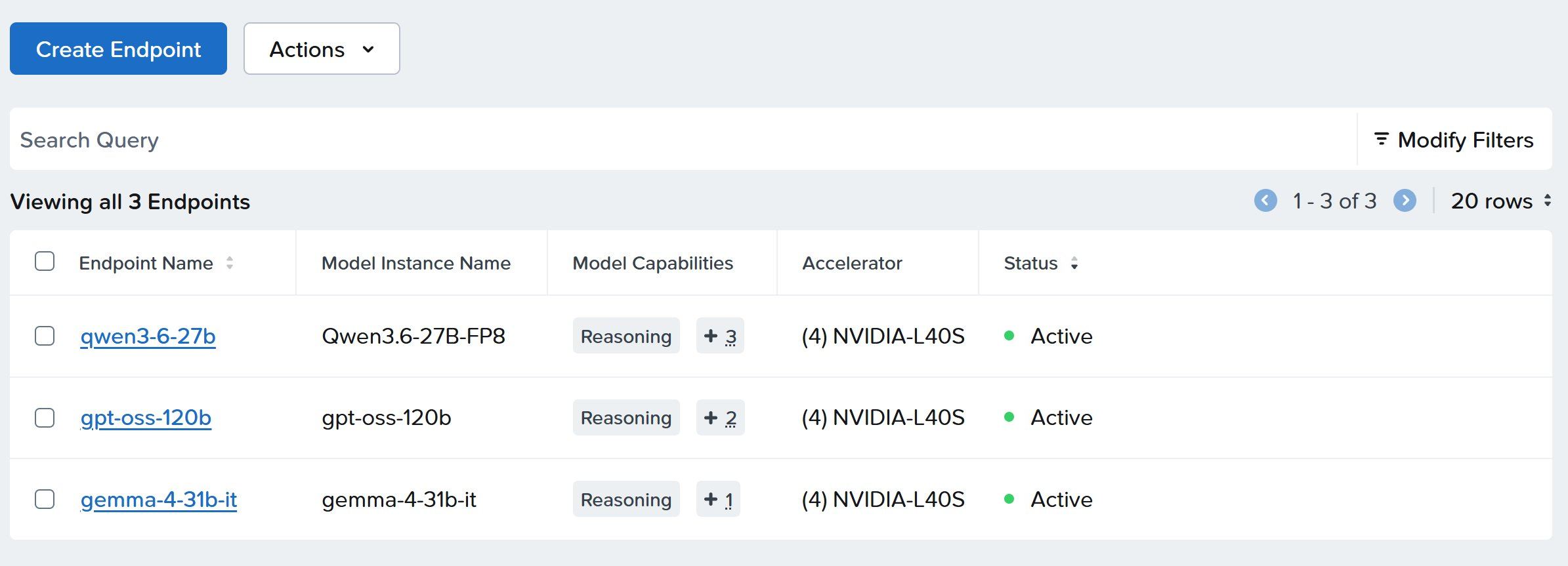
Final endpoint configuration:

Opencode Integration + Tuning
Once I had three endpoints running my three chosen models and successfully responding to NAI’s built-in test prompts, I moved on to configuring the models for use with Opencode. I used the add custom provider feature (Settings → Providers → Custom provider → + Connect) in Opencode to connect it to my NAI endpoints.
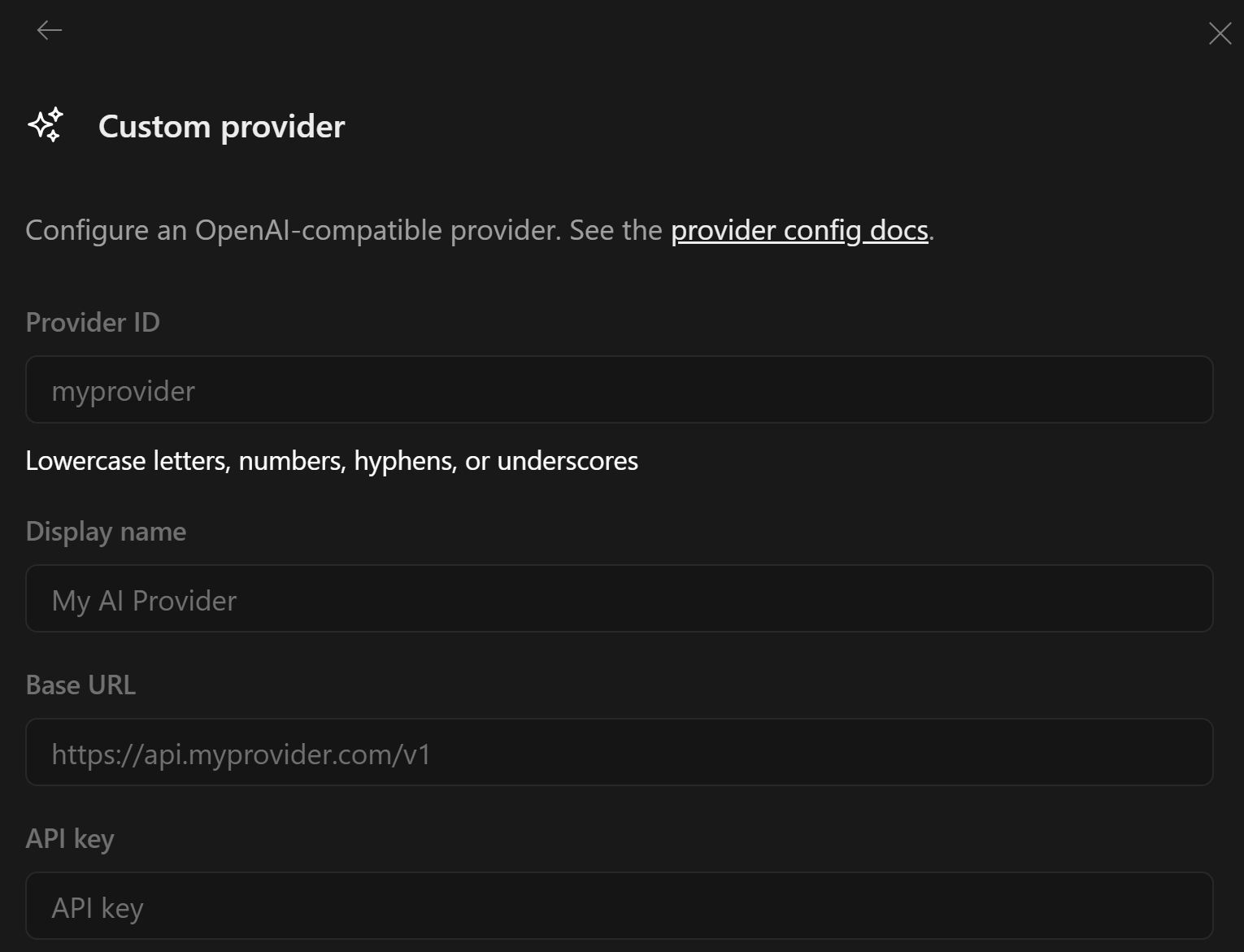
For Base URL it’s important to just use https://<URL>/enterpriseai/v1 as Opencode adds /chat/completions to whatever you enter. You can configure multiple models when you add the provider:
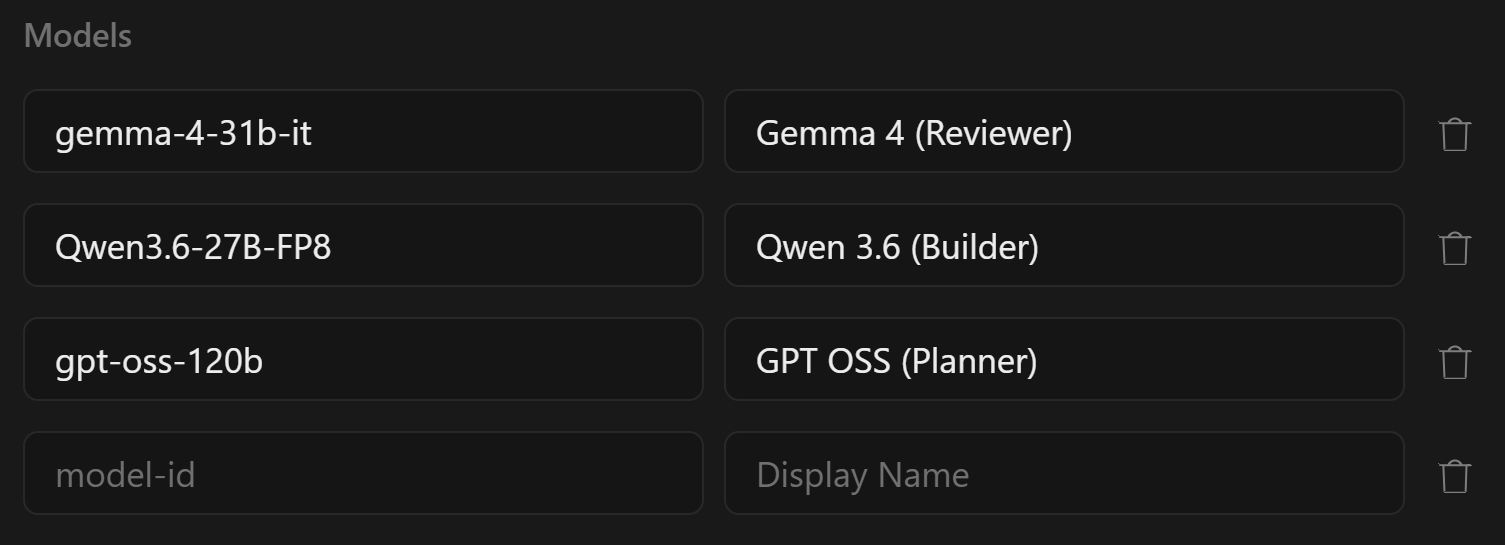
It’s also important that the model-id for each model you configure matches the endpoint’s –served-model-name from the server (Endpoint Name in the NAI GUI).
Tuning / Troubleshooting
Downloading models, deploying endpoints and connecting to them from Opencode felt almost too easy. Everything just worked, including my initial “hello world” type prompts from Opencode. When I started running some more complicated prompts things finally got a bit interesting. Each model needed at least one model-specific argument before it worked properly with Opencode, and gpt-oss-120b needed the most tuning.
Qwen3.6-27B-FP8
The most visible issue with Qwen was <think>...</think> blocks showing up in the main response. Setting --reasoning-parser=qwen3 separates Qwen’s chain-of-thought into a reasoning_content field instead of letting it bleed into the main response.
Another issue I ran into with all three models was that tool calling didn’t work out of the box. I’ll cover the pattern here once since it applied to all three. Opencode sends tool_choice: "auto" to let the model decide when to invoke a tool, and vLLM rejects that unless --enable-auto-tool-choice is set with a matching --tool-call-parser. For Qwen the correct parser value is qwen3_coder.
gemma-4-31b-it
gemma-4-31b-it had the same reasoning-leak problem as Qwen. It also had a tool-calling problem where Opencode would ask Gemma to call a tool and get back a response that looked like a tool call but wasn’t structured as one, so the client couldn’t execute it. Gemma uses its own format for both reasoning and tool calls that none of the generic parsers handle, so it needed two model-specific arguments: --reasoning-parser=gemma4 and --tool-call-parser=gemma4 plus the same --enable-auto-tool-choice flag Qwen needed.
gpt-oss-120b
gpt-oss-120b was the most interesting with multiple rounds of issues. First, I had to apply the same tool calling and reasoning leak fixes as with Gemma and Qwen. This time that looked like:
--enable-auto-tool-choice--tool-call-parser=openai--reasoning-parser=openai_gptoss
This fixed single-turn tool calls but multi-turn tool calls, important for my agentic coding, were hanging. Anything that required the model to call a tool, see the result, and then call another tool would just stall. Opencode would send the follow-up request, vLLM would receive it, and then nothing, the client would just time out. At first I thought this was an Opencode issue but I was able to replicate it with curl. Digging into the vLLM GitHub issues, I found the bug: the version bundled with NAI’s validated gpt-oss image (nutanix/nai-vllm:v0.13.0-gpu) was dropping reasoning_content from streaming responses on assistant turns that had previously contained it. The fix was to upgrade the endpoint to the upstream vllm/vllm-openai:v0.20.0 image, which had the streaming fix. The image swap can’t be done from the NAI UI either — it’s another kubectl patch, included in the patch reference in the appendix below.
I also added "interleaved": true to my Opencode config for this provider so the client preserves reasoning_content across turns on its side too. In opencode.jsonc this lives under the provider’s options block:
The validated endpoint also ships with --no-enable-prefix-caching (gpt-oss-120b is incompatible with prefix caching and vLLM refuses to start otherwise), --max-num-batched-tokens=10240, and --max-num-seqs=128. I left those in place: the 128 sequence ceiling is higher than the 8 I set on Qwen and Gemma because gpt-oss is the planner and tends toward many short concurrent requests rather than a few long-context ones.
A Note on Endpoint Management with NAI
As I mentioned in the deployment section, custom args can only be set at endpoint creation time, and not at all for validated endpoints. The official NAI workflow to change them is to redeploy the endpoint, and for validated models like gpt-oss-120b, that means importing a custom version from Hugging Face first so the custom-args fields become available.
This design makes sense for the common case. Updating vLLM or custom args triggers a redeployment anyway, so funneling everything through the creation wizard keeps the workflow consistent. The point of a validated catalog is that you get a tested, known-good config, so exposing those fields by default would undercut that guarantee. The tradeoff is that iterating on args is heavier than I wanted given how much tuning my agentic-coding use case needed, so I switched to patching the underlying ISVC directly with kubectl.
That immediately surfaced a new issue specific to that path: KServe defaults to a rolling update strategy where it creates a new ReplicaSet alongside the old one, waits for it to go ready, and then scales the old one back to 0. If you’re assigning all of your GPUs to endpoints like I am, the new RS can never go ready because it needs the GPUs the old one is holding onto, and the old one never gives them up because the new one isn’t ready. There are a few ways around this but the easiest is to scale the InferenceService to zero before patching:
The full set of patches I’m running today is in the appendix at the end of the post.
Conclusion
Now I have three models from three lineages all working cleanly with Opencode and I’m ready to deploy my coding agents. Key lessons learned:
Each model has its own preferences and your client will surface them quickly. Across these three I ended up with three different parser configurations and two different vLLM versions before everything worked cleanly with Opencode. The error modes are distinctive enough that once you’ve seen the pattern (think tags in responses, unstructured tool calls, hanging multi-turn requests) you’ll recognize what’s missing on the next model.
NAI’s endpoint creation wizard is optimized to get you through your initial deployment as quickly and easily as possible. If you need to iterate on args and you’re comfortable with it, kubectl patch is the faster path.
KServe’s default rolling update strategy doesn’t work for GPU-saturated single-replica endpoints. Scale the Deployment to zero before patching, otherwise you’ll end up with two ReplicaSets fighting for the same GPUs and you’ll be force-deleting pods to recover.
Stay tuned for the next post in this series, where I’ll pick up here with the three-model stack and the Opencode agent setup that actually puts the lineage separation to work.
Appendix: Final Patches
The below patches produce the exact config I’m running today. Remember to apply the scaling workaround above, or you’ll have to manually delete pods to complete the update.
Qwen3.6-27B (ISVC name: qwen3-6-27b):
| |
gemma-4-31b-it:
| |
gpt-oss-120b — two patches, image and args:
| |
After applying the gpt-oss image patch, verify the pod came up with the new image: